Mobile support. Select text and a formatting menu appears. And the keyboard shortcuts you'd expect just exist.
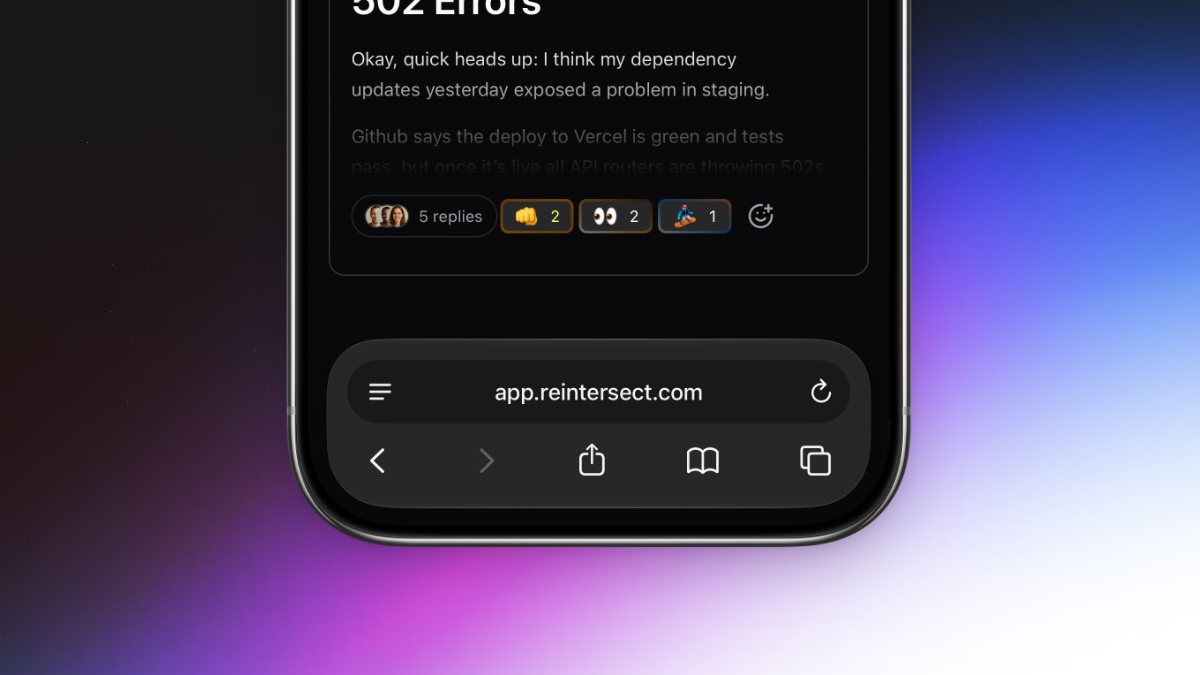
Two big things this week. The app finally responds to phones the way you'd want a phone app to respond. And selecting text anywhere in the app shows a real formatting toolbar with the headings, lists, and link controls you've been asking for.
Reintersect, on your phone.
One of the most long-awaited features is finally here. Reintersect will now adjust itself to your screen size and work on your phone. Talk to your team anywhere using the experience you already know and love.
Beautiful formatting that earns its name.
Select text in any composer - conversation, reply, DM - and a bubble menu appears with:
Headings (H1-H3) in a dropdown.
Lists (bulleted, numbered, task) in another dropdown.
Bold, italic, strikethrough, underline.
Link, blockquote, inline code, code block, clear formatting.
Keyboard-navigable with arrows, Home, and End. Hidden inside code blocks or when the entire selection is already a link.
Selecting a link opens an inline URL input that autosaves as you type, opens the link in a new tab, or clears it. Enter commits; Escape cancels.
Keyboard shortcuts that fit your muscle memory.
Cmd/Ctrl+K adds a link to the current selection.
Cmd/Ctrl+B no longer hides the sidebar - it just bolds text in the editor, like it should.
Escape collapses any text selection back to a single caret.
Shift+N opens the composer from anywhere.
Alt+N toggles it.
Cmd/Ctrl+Enter submits, in every editor.
Everything you need quickly gets fetched when you open the app.
All circles and people in your sidebar are now prefetched in a single global pass as soon as the app boots, instead of per-hover. The app feels noticeably faster.
A few small tweaks.
Suggestion popovers for emoji and slash commands reposition more accurately.
Images dropped the drag-to-resize handles and the click-to-zoom modal; images render at natural dimensions bounded by the container to prevent conversations created on mobile from taking up the entire screen on a desktop.