
Changelog

Follow new updates and improvements to Reintersect.

Mobile support. Select text and a formatting menu appears. And the keyboard shortcuts you'd expect just exist.
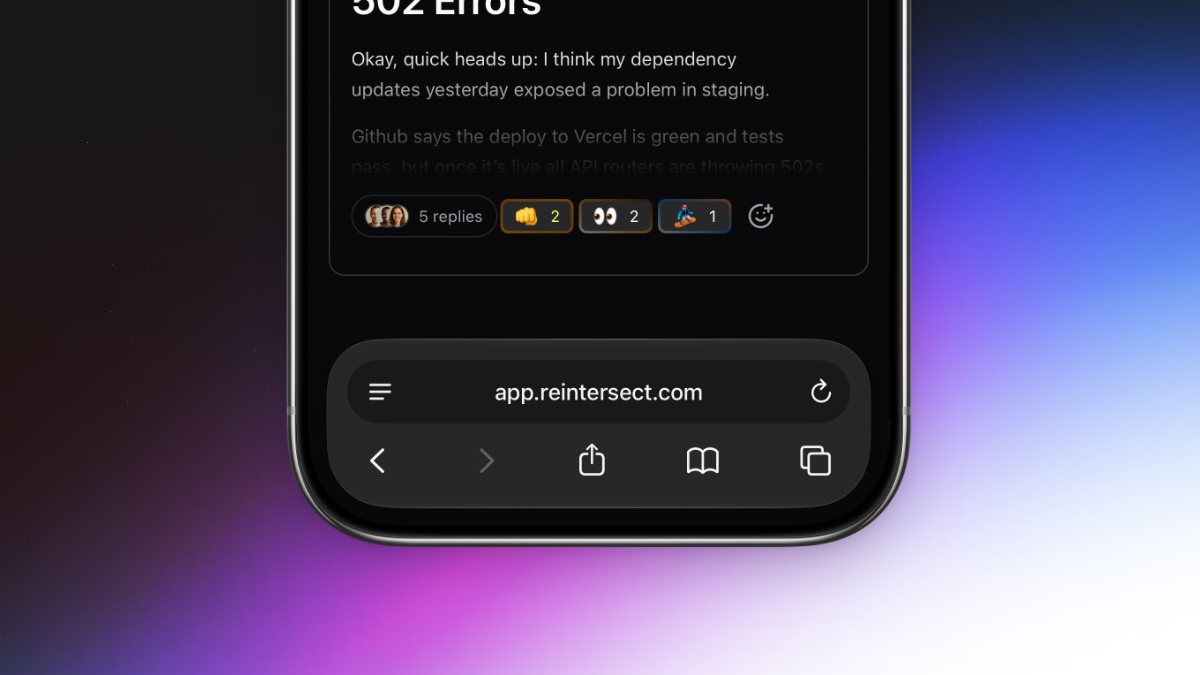
Two big things this week. The app finally responds to phones the way you'd want a phone app to respond. And selecting text anywhere in the app shows a real formatting toolbar with the headings, lists, and link controls you've been asking for.

Reintersect, on your phone.

One of the most long-awaited features is finally here. Reintersect will now adjust itself to your screen size and work on your phone. Talk to your team anywhere using the experience you already know and love.

Beautiful formatting that earns its name.

Select text in any composer - conversation, reply, DM - and a bubble menu appears with:

  • Headings (H1-H3) in a dropdown.

  • Lists (bulleted, numbered, task) in another dropdown.

  • Bold, italic, strikethrough, underline.

  • Link, blockquote, inline code, code block, clear formatting.

Keyboard-navigable with arrows, Home, and End. Hidden inside code blocks or when the entire selection is already a link.

Selecting a link opens an inline URL input that autosaves as you type, opens the link in a new tab, or clears it. Enter commits; Escape cancels.

Keyboard shortcuts that fit your muscle memory.

  • Cmd/Ctrl+K adds a link to the current selection.

  • Cmd/Ctrl+B no longer hides the sidebar - it just bolds text in the editor, like it should.

  • Escape collapses any text selection back to a single caret.

  • Shift+N opens the composer from anywhere.

  • Alt+N toggles it.

  • Cmd/Ctrl+Enter submits, in every editor.

Everything you need quickly gets fetched when you open the app.

All circles and people in your sidebar are now prefetched in a single global pass as soon as the app boots, instead of per-hover. The app feels noticeably faster.

A few small tweaks.

  • Suggestion popovers for emoji and slash commands reposition more accurately.

  • Images dropped the drag-to-resize handles and the click-to-zoom modal; images render at natural dimensions bounded by the container to prevent conversations created on mobile from taking up the entire screen on a desktop.
NewImprovedFixed

A quick link to the roadmap, an in-app changelog, and Intercom that reliably loads.

Most of this week was about making the app’s edges less sharp and more honest about themselves.

Roadmap and changelog, in the account menu.

Open the sidebar account menu and there are two new items: Roadmap, which opens the public roadmap in a new tab, and Changelog, which pops a dark-themed changelog widget over the dashboard so you can see what shipped without leaving the app.

A support widget that reliably loads.

Intercom used to load through a web-worker proxy that was, charitably, finicky. The Support launcher would sometimes refuse to open, unread badges would lag, and showing/hiding from the sidebar would silently fail. Intercom now runs on the main thread like a normal embed and behaves like one.

Prefetches that stay warm longer.

The app will now keep prefetched data for 10 minutes by default. If you close your tab by accident, it’ll reopen instantly.

NewImprovedFixed

Better invites. Kinder files. MCP server fixes.

A week against friction.

A team's day is full of small frictions that bother us. The invite link that may or may not work tomorrow. The screenshot filename that breaks the upload. The paste that brings a font you didn't ask for.

This week, a lot of them got out of the way.

Workspace invites, properly.

Owners and admins now get a dedicated Invites page - every pending invitation in one table, with a countdown to expiry and a color-coded bar that warns you when one's about to die.

  • Resend with a click; the expiry resets.

  • Cancel with another; nothing waits in the user's inbox.

  • Paste fifty emails at once - comma-separated, line-separated, however your other tab gave them to you.

The settings sidebar even shows a live count of pending invites, so you don't forget who you've been meaning to bring in.

Files that don’t forget their real names.

Mac screenshots have a narrow space between the time and AM/PM that used to silently break uploads. Accented letters came out scrambled. Long filenames pushed the download button off the page. None of that happens anymore.

  • Multi-select is on by default in the file picker.

  • Pasted images appear once, not twice.

  • The zoom-view backdrop is honestly black.

  • Plain text and HTML paste cleanly - only paste/drop events that actually contain files get treated as file uploads.

MCP that always works.

Previously, some MCP clients (mainly Claude Desktop) showed resource errors when signing into Reintersect. That’s no longer the case.

Other things we noticed.

  • Checkout accepts a promotion code if you have one.

  • Workspaces can be configured to skip the waitlist, for the people we already know.

ImprovedFixed

Earlier updates