Changelog

Follow new updates and improvements to Reintersect.

May 22nd, 2026

New

Improved

Fixed

Most of this week was about making the app’s edges less sharp and more honest about themselves.

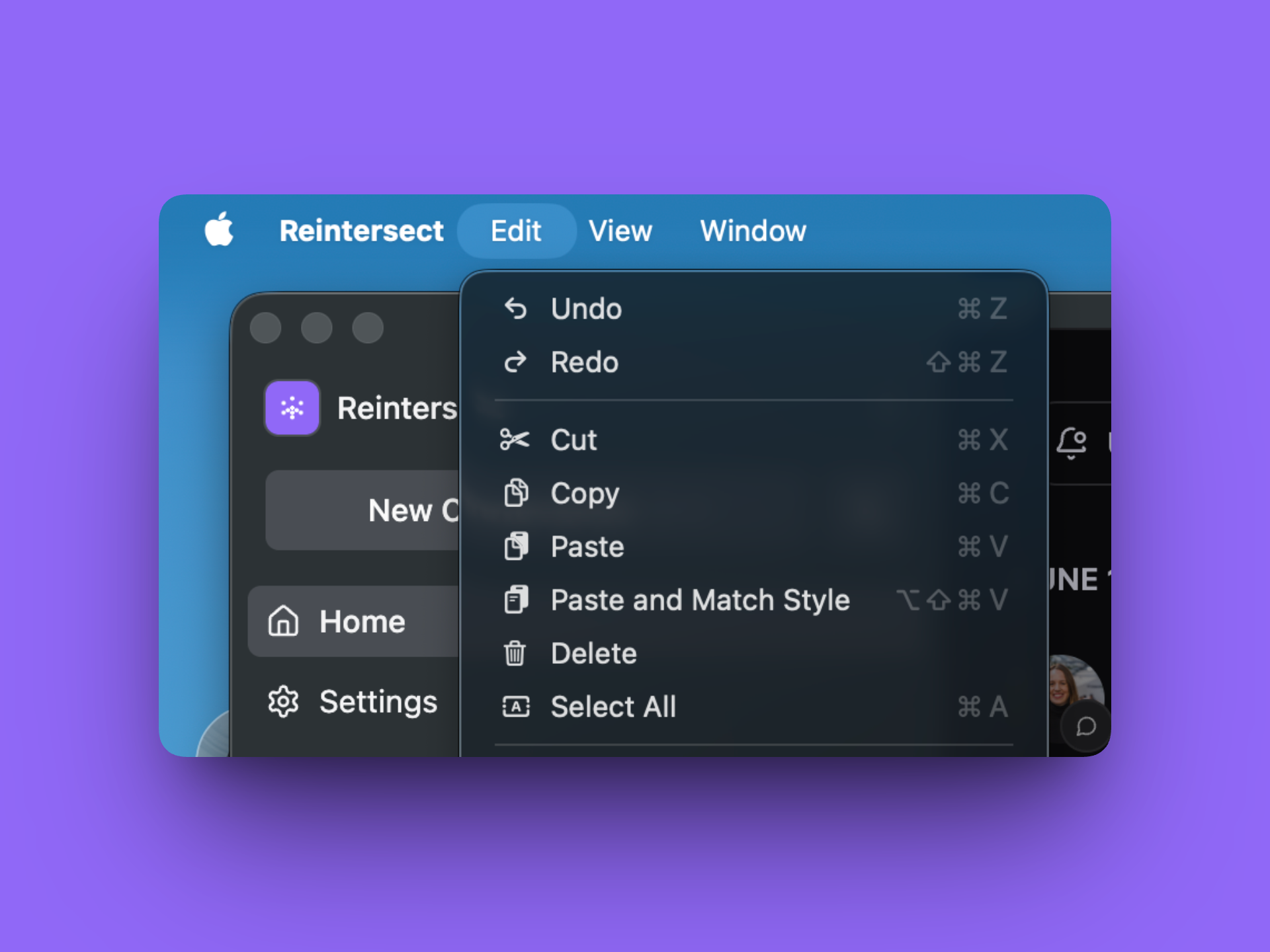
Roadmap and changelog, in the account menu.

Open the sidebar account menu and there are two new items: Roadmap, which opens the public roadmap in a new tab, and Changelog, which pops a dark-themed changelog widget over the dashboard so you can see what shipped without leaving the app.

A support widget that reliably loads.

Intercom used to load through a web-worker proxy that was, charitably, finicky. The Support launcher would sometimes refuse to open, unread badges would lag, and showing/hiding from the sidebar would silently fail. Intercom now runs on the main thread like a normal embed and behaves like one.

Prefetches that stay warm longer.

The app will now keep prefetched data for 10 minutes by default. If you close your tab by accident, it’ll reopen instantly.

May 15th, 2026

Improved

Fixed

A week against friction.

A team's day is full of small frictions that bother us. The invite link that may or may not work tomorrow. The screenshot filename that breaks the upload. The paste that brings a font you didn't ask for.

This week, a lot of them got out of the way.

Workspace invites, properly.

Owners and admins now get a dedicated Invites page - every pending invitation in one table, with a countdown to expiry and a color-coded bar that warns you when one's about to die.

  • Resend with a click; the expiry resets.

  • Cancel with another; nothing waits in the user's inbox.

  • Paste fifty emails at once - comma-separated, line-separated, however your other tab gave them to you.

The settings sidebar even shows a live count of pending invites, so you don't forget who you've been meaning to bring in.

Files that don’t forget their real names.

Mac screenshots have a narrow space between the time and AM/PM that used to silently break uploads. Accented letters came out scrambled. Long filenames pushed the download button off the page. None of that happens anymore.

  • Multi-select is on by default in the file picker.

  • Pasted images appear once, not twice.

  • The zoom-view backdrop is honestly black.

  • Plain text and HTML paste cleanly - only paste/drop events that actually contain files get treated as file uploads.

MCP that always works.

Previously, some MCP clients (mainly Claude Desktop) showed resource errors when signing into Reintersect. That’s no longer the case.

Other things we noticed.

  • Checkout accepts a promotion code if you have one.

  • Workspaces can be configured to skip the waitlist, for the people we already know.

May 1st, 2026

New

Improved

Fixed

Edit your own conversations and replies.

Two things land that you’ve been asking for. You can edit conversations. You can edit replies. And the change is visible to everyone with a small (edited) tag that, on hover, shows you exactly when it happened.

Edit your own conversations.

Open the action dropdown on a post you wrote and pick Edit. The title and body collapse into an inline editor with Cancel and Save. Cmd/Ctrl+Enter saves. Escape cancels. If you navigate away mid-edit, your draft survives.

After saving, an (edited) tooltip sits next to the original timestamp, with the exact edit time on hover.

Edit your own replies and sub-replies.

The same thing works on replies - both top-level and in threads. Hover a reply you authored to surface a pencil button next to the existing reply/react actions. Click it, edit the body, save. (edited) appears with the timestamp.

Search that keeps up.

Edits don't lag. The post search index re-pulls the post with your changes (title, body, plain-text, markdown) so the next search finds the latest words.

Avatars that don’t flicker.

User and workspace avatars now hold a skeleton briefly while the image loads, then crossfade into the image (or the generated face / initials fallback). The 1-frame flash of face and the 1-frame placeholder flash in the workspace picker - both gone. The ring border only renders when the image is loaded or the fallback shows.

Tucked into the same release.

  • The main conversation page now shows the author's subtitle (role/title) under their name when they have one.

  • Empty content in conversations, replies, and DMs is rejected at the API boundary instead of failing later in strange ways.

  • Synced queries materialize their initial view eagerly, so the 1-frame loading flash on first mount of a page or component is gone.

April 17th, 2026

Improved

Fixed

Rounded edges around creating a circle.

A quieter week, mostly about how the app responds to you as you type, and what it lets through.

Create circle, live.

The Create Circle dialog now validates as you type. The Create button disables instantly for an empty or whitespace-only name, or a slug that someone’s already reserved - instead of letting you click and then showing you the error after the fact.

A workspace switcher screen readers can actually find.

The workspace switcher trigger in the sidebar now carries an explicit "Switch workspace" label. Screen readers read it correctly.

Stricter checks on what we accept.

Server-side, we tightened up our validation and security. This means less unexpected errors and a smoother experience.

April 3rd, 2026

Improved

Fixed

The app remembers where you left off, and stops blinking at you.

Three quality-of-life wins that you’ll notice the next time you make a big decision.

The workspace you used last.

If you belong to more than one workspace, the app now remembers which one you used most recently and brings you right back to it. No more landing in the wrong place after every sign-in.

Profiles with character.

Users and workspaces without a custom image used to fall back to plain initials on a flat background. They now use a deterministic generated face derived from their IDs, so the same workspace always looks the same, and empty avatars stop feeling like dropped images.

Less flashing while things load.

Skeleton placeholders used to flash for 100ms before content arrived - long enough to be noticed, short enough to be annoying. The threshold is now 800ms, so fast-loading lists render their cached rows immediately and skeletons only show up when the page is actually waiting on something.

March 20th, 2026

New

Tab finishes an emoji.

A small one. Type :smi, use the arrow keys to find the emoji you want, press Tab, and it’s inserted. Enter still works too.

If you’ve ever pressed Tab expecting to commit a suggestion and ended up moving focus instead, that’s the muscle memory this change is for.

March 6th, 2026

New

Improved

Fixed

Better escape hatches when you’re in the wrong account.

A lot of small wins this week aimed at the same thing: making sure you can always get out, get back, or get to the right place when something's off.

Sign out, properly.

Signing out used to leave bits of you behind. Now it takes everything: your synced data gets deleted and you're redirected to the sign-in page. Account switching no longer leaves stale data lying around.

Better paths through onboarding and the workspace picker.

  • Half-onboarded? We now sends you straight to /onboarding/you so you can finish your profile before anything else happens.

  • One workspace? Now you pick deliberately, and there's a sign-out button right there in case you signed in with the wrong account.

  • No subscription? The page tells you that you can use a different workspace or sign out - neither of those used to be obvious.

  • "Not [email]?" A small sign-out button on the onboarding and workspace-setup forms, in case the email at the top isn't you.

Notifications that respect who’s still on the team.

If a teammate gets deactivated or removed from a circle, we stop sending them notifications about that circle's conversations, replies, and sub-replies - including the digested ones. The conversation-reply unread count also now compares against the right data, so your own replies never inflate your own unread badge.

Background polish

  • Reply composers (both top-level and threaded) now have an attachment button. Bring files into a reply without leaving the editor.

  • Read notifications stay visibly dimmed after you archive or snooze them, instead of looking unread again.

February 27th, 2026

Fixed

Email delivery, hardened.

Background jobs that send organisation invites and one-time passcodes now retry with exponential backoff, time out after 20 seconds, and log every success and failure. If your inbox provider has a bad few minutes, the email still gets through.

February 20th, 2026

Fixed

Notified when you’re added, and a quieter editor.

Three quick wins that change how the small interactions feel.

Notified when you join a circle.

When someone adds you to a circle, you get a notification with their name, the circle, and a direct link to the circle page. Tap it, you’re there. If they later remove you, the related notifications are cleaned up so they don’t hang around pointing at a circle you can no longer see.

Invites work even if you’re not on the waitlist.

The waitlist gate was slightly too aggressive: if you'd been invited to a workspace but weren't already accepted off the waitlist, sign-in would refuse you. That's fixed. Invited users sign in normally whether they're on the accepted waitlist or not.

A quieter editor.

Editor placeholder copy is consistent now across posts, comments, messages, and the main editor: "Start typing or press '/' for commands…" — and it only shows up on the first line. No more "ghost text" repeating through every empty line of a multi-line draft.

Adjacent fixes.

  • The "New Conversation" shortcut hint respects your OS: Option on macOS, Alt on Windows.

February 13th, 2026

New

Fixed

Replies that know whether you’ve seen them.

The reply experience just got a lot less repetitive. Every reply and sub-reply tracks whether you specifically have laid eyes on it. The "New" label sticks around until you scroll the reply into view. Come back to a conversation later, and the badges that used to scream from every thread only mark the things you actually haven't read.

  • Replies authored by you don't show as "New" to you, obviously.

  • Top-level replies and sub-replies track read state independently - you can see all the parent replies without losing the unread indicator on a noisy sub-thread you haven't dug into.

OTP, digits only.

The six-character sign-in code is, you know, six digits. The input now enforces that. No more accidentally pasting a chunk of text and watching sign-in fail.

One more thing.

  • Workspace profile settings finished moving into their final home in settings; the navigation is consistent with everything else.